
Depositions, from zero to adopted
Replacing scattered tools with a unified place to prepare, conduct, and review testimony
— built 0-1 and adopted at scale.
Role: Design lead (primary designer)
Type: 0→1 product initiative
Released: January 2020
Collaborators: PM, engineering
Impact at a glance
In its first year, 2,300+ depositions ran on a workspace that didn’t exist before.
Contributed to a ~92.5% increase in user satisfaction in a YoY survey for the broader Storybuilder suite
Strengthened the product’s competitive positioning as a comprehensive trial preparation platform and paved way for supporting downstream trial prep features
Overview
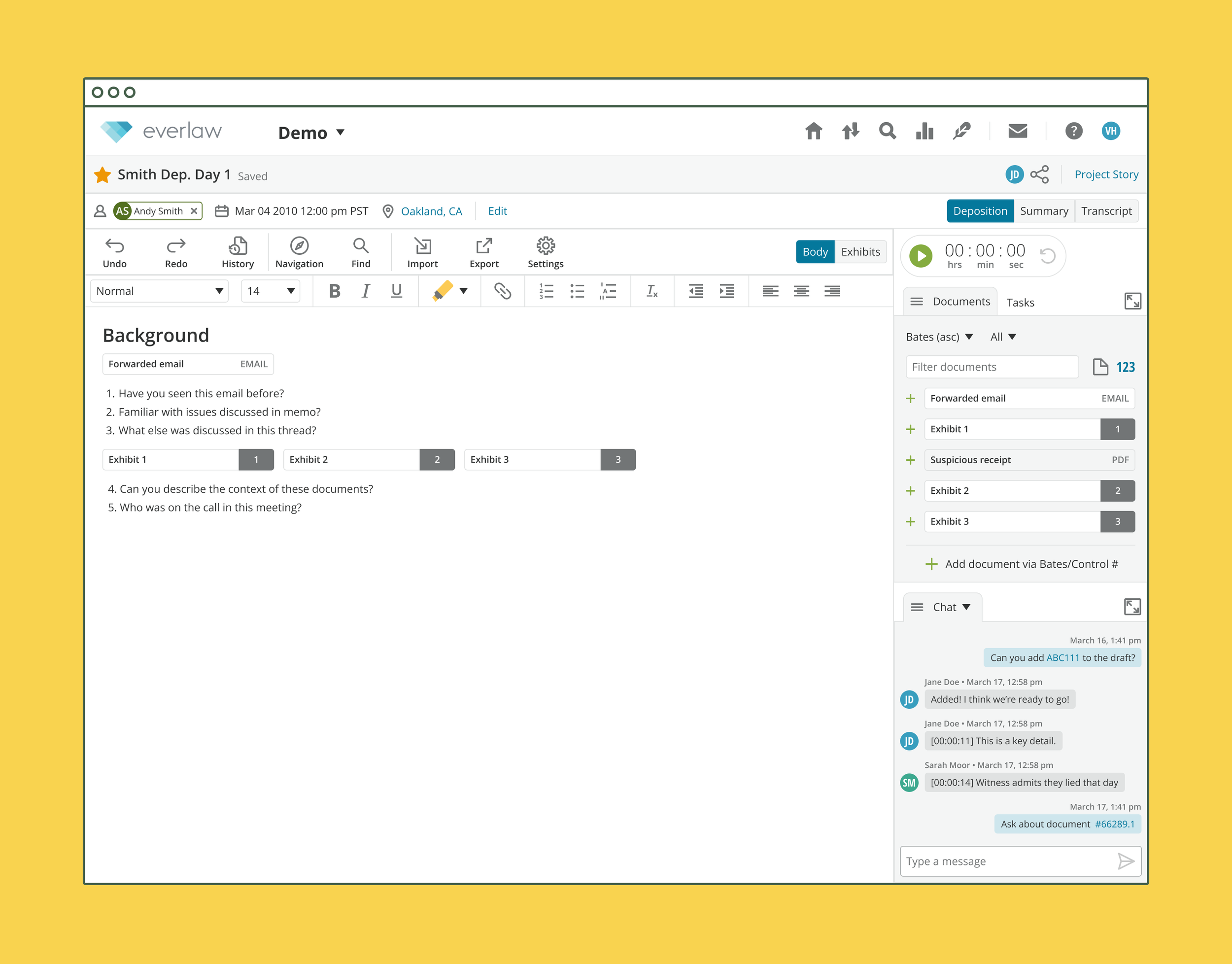
I led the end-to-end design of Everlaw’s Depositions tool and introduced a unified workspace that supports deposition preparation, collaboration, review, and analysis.
This foundational base scaled Storybuilder’s narrative workflow and drove measurable increases in adoption and satisfaction.
PROBLEM
Deposition prep lived in pieces

Prior, attorneys and paralegals ran each deposition across printouts, PDFs, spreadsheets, and endless sticky notes.
Research revealed that 80% of users switched between 3+ tools per deposition. These workflows caused:
Excessive context‑switching
Fragmented collaboration
Risk of lost or inconsistent information
Users needed a single, cohesive experience to prepare, conduct, and review depositions without drowning in their sea of documents and piles of sticky notes.
“When there is a big case, that means more depositions and more documents, which also means more opportunities for everything to be disconnected.”
– A legal associate
SOLUTION
Delivering an integrated workspace
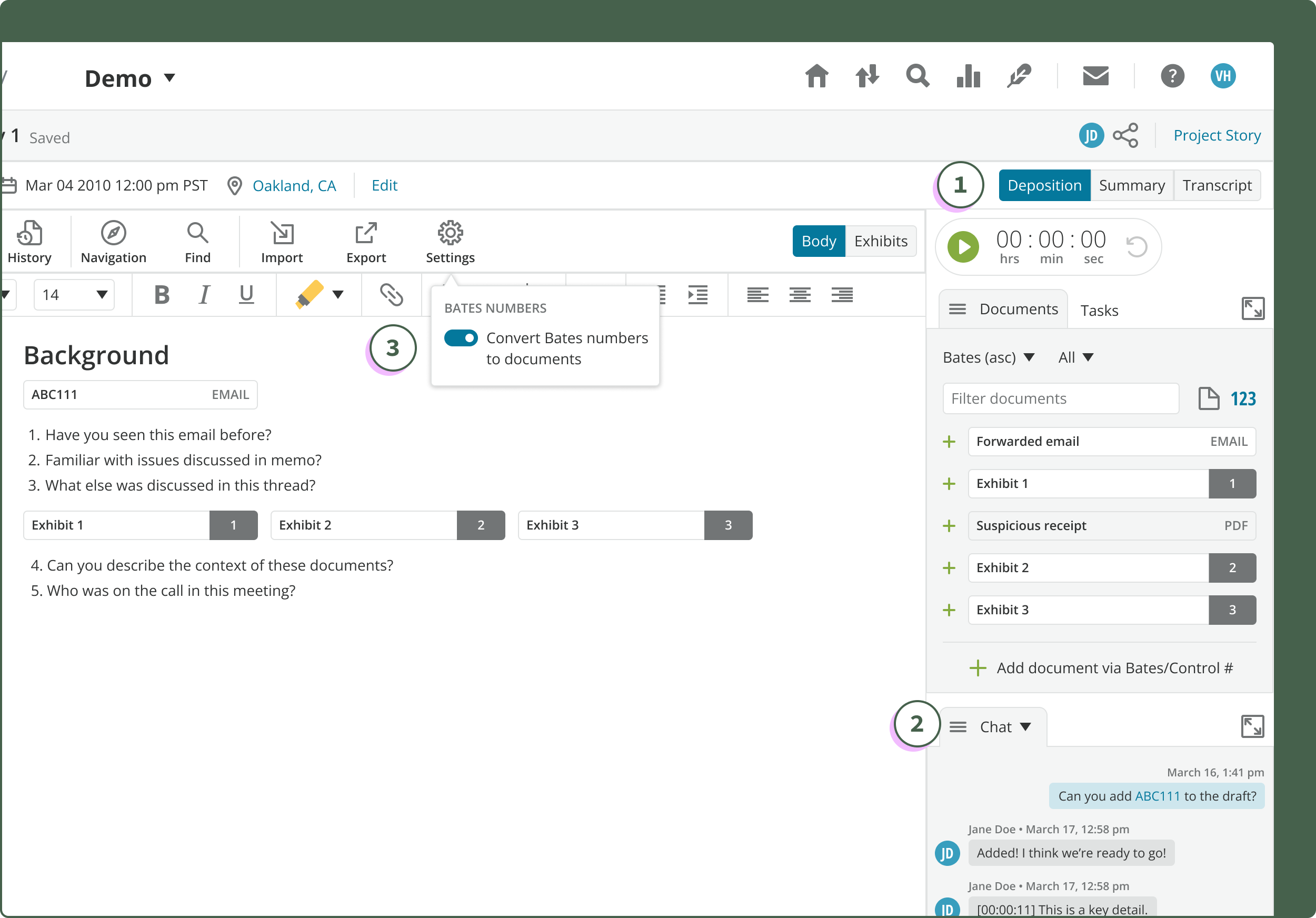
Everlaw’s Depositions helps users collaborate to prepare documents, draft outlines, summarize and share insights, and annotate the transcript seamlessly—all in one place.
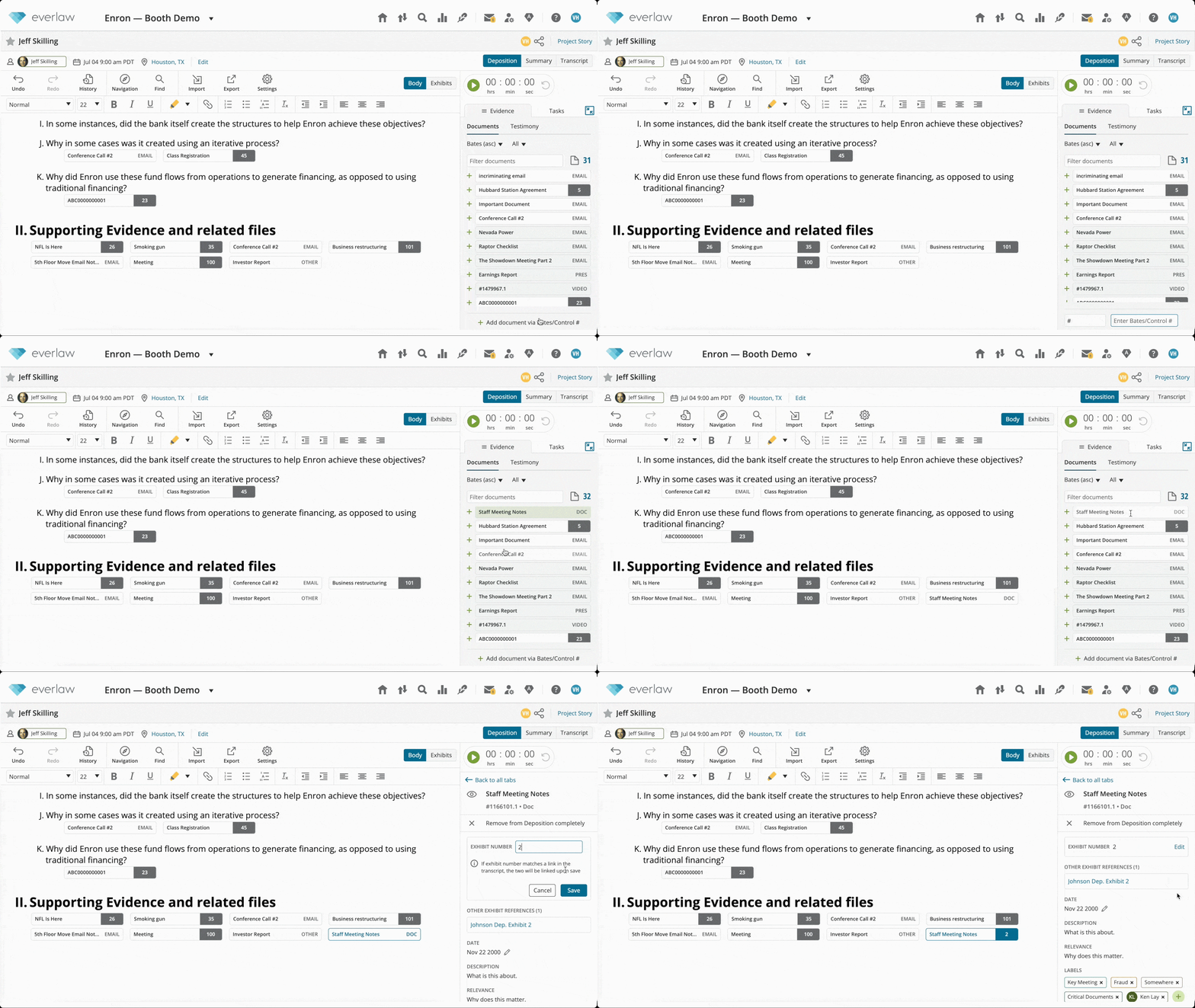
Organize effortlessly
Keep track of documents with exhibit numbers, view all references in other depositions, and pull in new documents from your database at any stage
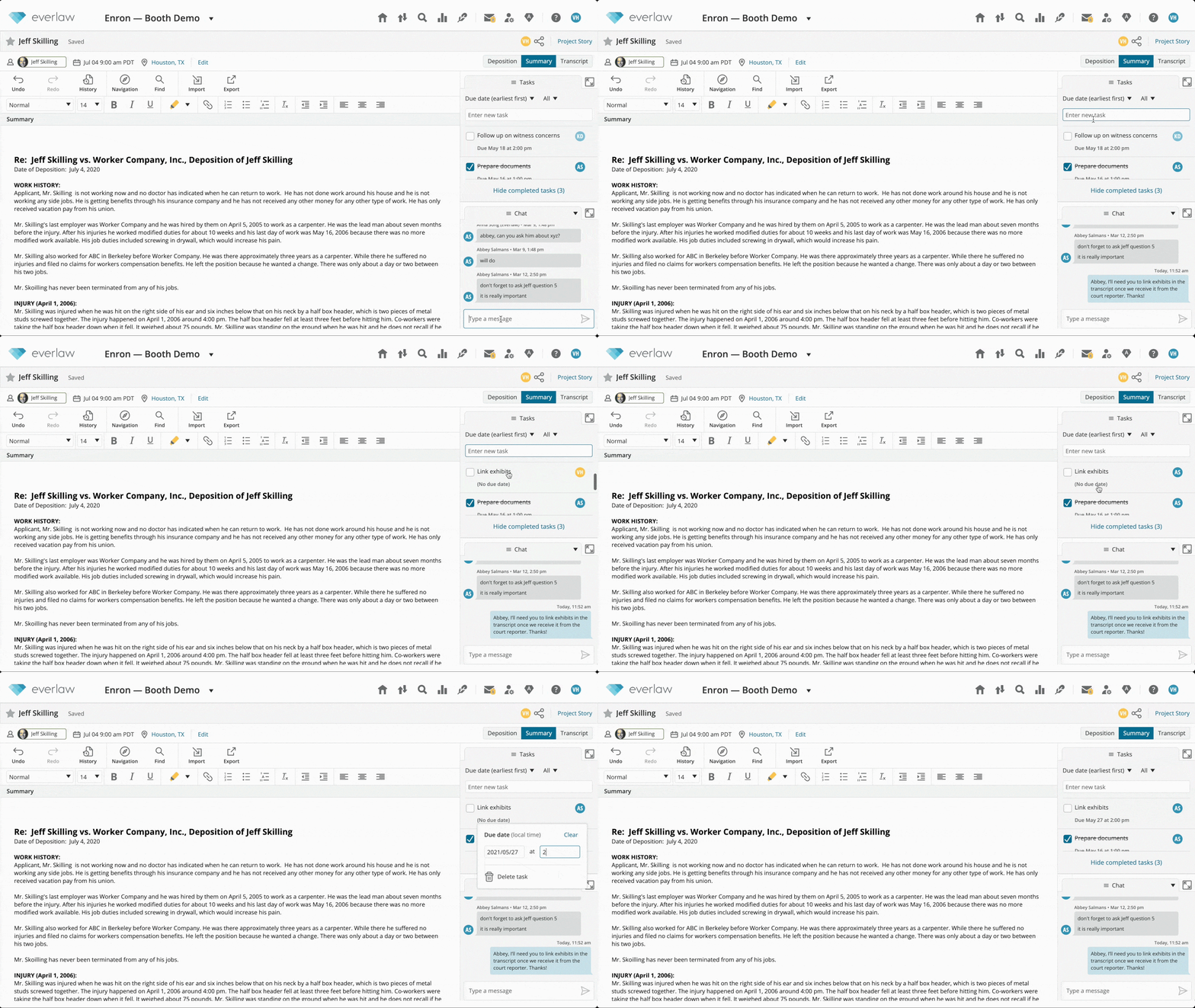
Collaborate securely
Communicate instantly with teammates, assign tasks to keep the case rolling, and summarize and share major takeaways without leaving the page
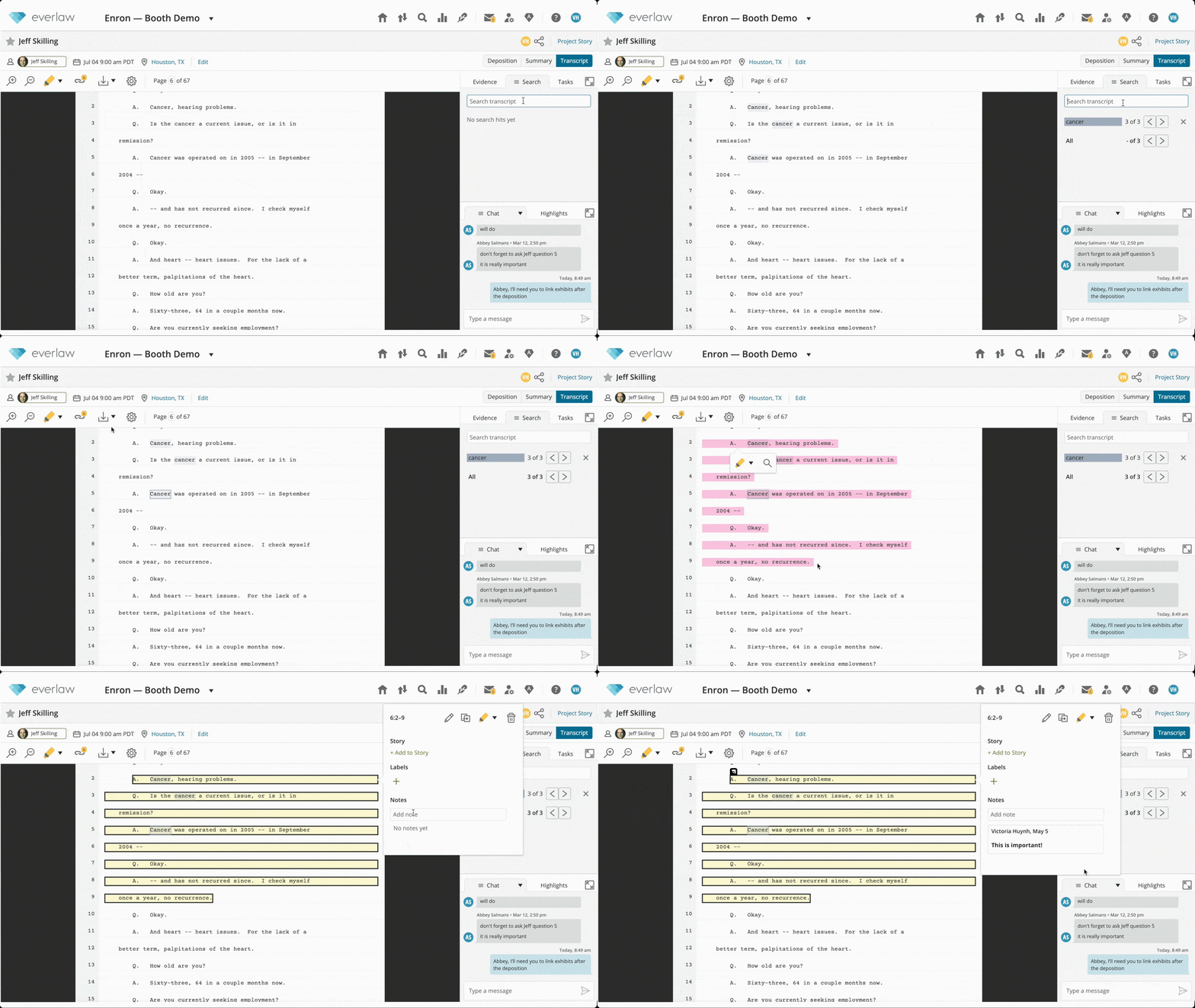
Analyze with ease
Create highlights and annotations, search for keywords, and export work product with all the tools you need
RESULTS
Achieved steady adoption rates and an excitement for more

A year after release, with 2,300+ Depositions created, we’ve seen a consistent increase in Deposition creation, user sessions, and actions taken over time. 🎉

In our annual user survey, user satisfaction in the Storybuilder suite increased by approximately 92.5% from the previous year after releasing Depositions.

A review on G2, a trusted tech review platform for software products
These outcomes demonstrated that our design not only solved the immediate problem, but also strengthened the product’s core positioning for complex trial workflows.
G2 users love it
“Everlaw provides useful outlining features to create deposition outlines where exhibits/documents can be directly linked to the examination outline meaning you don't need to work in different applications to get the same result.”
— Small Business User in Law Practice
“I am very pleased with Everlaw's continued work on their platform which now includes the integration of fact building, timelines, deposition outlines and transcripts…in one app.”
— Christine M at Mid-Market Law Firm
“The new features of Storybuilder makes it easy to collaborate with colleagues in preparation for deposition and during deposition.”
— Administrator at Mid-Market Law Firm
ROADMAP DECISIONS AND SCOPE
Scoping v1 for adoption

As a 0-to-1 initiative, Depositions had near-infinite scope. The real work was deciding what to ship first. Three calls shaped v1.
🚀 Decision 1: Ship the whole loop workflow before depth
We prioritized a complete, minimal workspace spanning preparation, collaboration, and review, rather than isolated power features.
Progressive disclosure guided users through core tasks while letting them jump in at any stage.
Trade-off: Fewer power features upfront in exchange for clarity and adoption.
💬 Decision 2: Build for collaboration from day one
Although solo modes would have shipped faster, research showed deposition prep is inherently collaborative.
We prioritized a secure, synchronized workspace with shared chats, tasks, and a timer from day one.
Trade-off: Higher upfront engineering cost in exchange for long-term coordination gains.
⚙️ Decision 3: Lay foundations before advanced tooling
We focused on reducing friction to core actions first, introducing:
Multiple seamless mechanisms for adding and organizing documents
The ability to track documents via exhibit numbers
Trade-off: Delayed advanced functionality in favor of a scalable foundation.
Testimony extraction and video upload shipped soon after, cleanly, on top of it.
These decisions allowed us to:
Ship a cohesive 0→1 experience without feature bloat
Validate core workflows before scaling complexity
Create a foundation that supported future expansion without rework
TAKEAWAYS
A 0-to-1 product earns adoption by shipping the complete loop before the deep feature.
Scope to the whole workflow, not the deepest capability. Coherence is what people adopt and trust. It’s still how I frame greenfield scope today.